4
Introduction
Getting approved for Google AdSense is a milestone for any blogger or website owner — it means you can start monetizing your content reliably with contextual ads. But in 2026 the program is stricter: reviewers and automated systems focus on content quality, policy compliance, and clear trust signals. This guide walks you step-by-step through everything you must do to maximize your approval odds — from technical checks and content requirements to where to get backlinks and how to avoid common rejections.
Key short checklist (read this first):
- Unique domain and access to site HTML ✔
- Privacy Policy, About, Contact pages ✔
- 20+ helpful, original posts (600–1500+ words each) ✔
- No policy-violating content (adult, copyright violations, incentivized clicks) ✔
- Healthy initial traffic and real backlinks recommended ✔
You’ll find actionable steps, screenshots (where to add pages and how), external resources from official docs, plus a short backlink strategy you can start today.
Quick official reading: See AdSense eligibility & policies on the official help pages.
Table of Contents
- What AdSense actually checks (short list)
- Pre-application technical checklist
- Content requirements & recommended structure (with examples)
- Mandatory pages and how to set them up (examples/screenshots)
- Traffic & backlinks — how much you need and where to get links
- Common reasons for rejection (and exact fixes)
- Step-by-step application process (with screenshots & what to expect)
- Post-approval setup & ad placement best practices
- Quick checklist to run before you hit “Apply”
- Backlink & outreach plan (realistic steps)
- FAQ (copy-ready answers you can paste on site)
- Internal links you should add on nikileshkumar.com (examples)
1) What AdSense actually checks (short list)
When Google reviews your site they mainly ask four questions:
- Is this real, trustworthy content created for humans? (E-E-A-T: Experience, Expertise, Authoritativeness, Trust)
- Are required pages present and genuine? (Privacy, About, Contact)
- Does the site follow AdSense Program Policies? (no copyrighted content, no adult content, no incentivized clicks, etc.).
- Is the technical implementation acceptable? (site loads, not blocked by robots.txt, proper HTML access).
If the answer to all is “yes,” approval odds are high. If any is “no,” expect rejection with a reason.
2) Pre-application technical checklist (do these now)
Run through this checklist and fix anything marked No:
- Domain is custom (example:
nikileshkumar.com) — must own the site. - You can edit HTML / header (to paste ad code for verification).
- Site is mobile friendly (responsive).
- No “coming soon” or placeholder pages.
- Robots.txt and noindex tags are not blocking Googlebot.
- SSL enabled (https).
- Fast page speed (use Google PageSpeed Insights if needed).
- Legal pages (Privacy Policy, Terms if applicable) — visible from footer.
How to check robots and indexing: Search console (Google Search Console) — verify your property and check coverage. If pages are excluded, fix meta robots tags.
Short citations: Official eligibility & policies.
3) Content requirements & recommended structure
AdSense doesn’t require a fixed word count, but reviewers look for helpful, original content. In practice:
- Minimum quality per page: 600+ words of unique, useful content (many publishers recommend 1000–2000+ for pillar posts).
- Number of posts: Aim for 20–30 well-written articles before applying. This shows depth and consistency.
- Content diversity: How-to guides, comparisons, long-form evergreen posts, and a few personal or case-study posts build E-E-A-T.
- No scraped/auto-generated content. Original writing wins.
Perfect article structure (use this template on every post)
- H1: Title with primary keyword
- Intro (150–300 words) — establish intent and what reader will learn
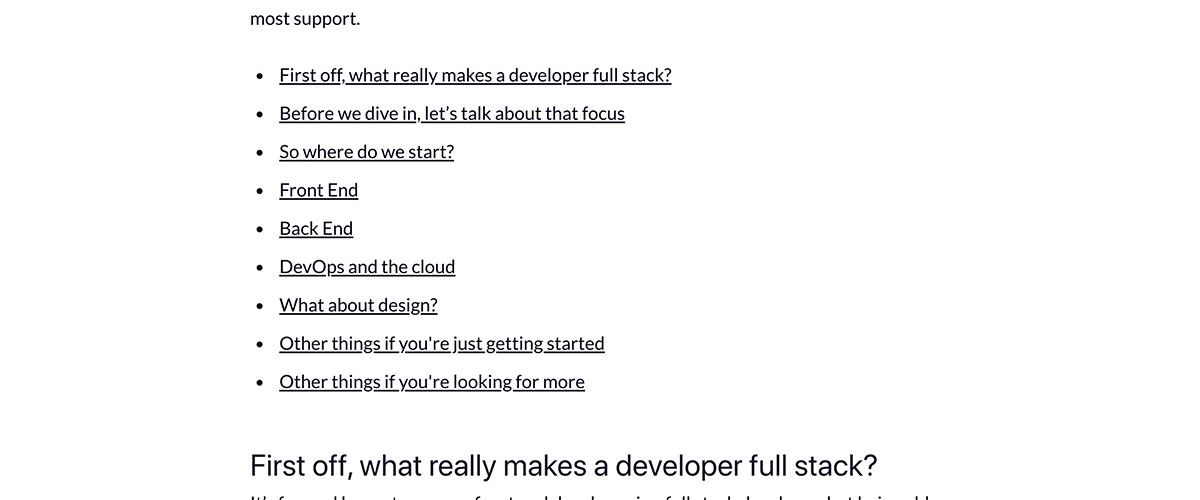
- Table of Contents (auto TOC plugin on WordPress)
- H2 sections with detailed subheadings (each 200–600 words)
- Images/screenshots with ALT text (use original screenshots where possible)
- Comparison tables / data points (if applicable)
- H2: Frequently Asked Questions (3–8 common questions)
- H2: Conclusion + internal links + CTA
Example internal links for nikileshkumar.com: link “Best SIP Plans” → “How to Start Investing in India” (this improves crawlability and user flow).
4) Mandatory pages and how to set them up (with examples / screenshots)
You must have these pages, easily reachable from the footer or header:
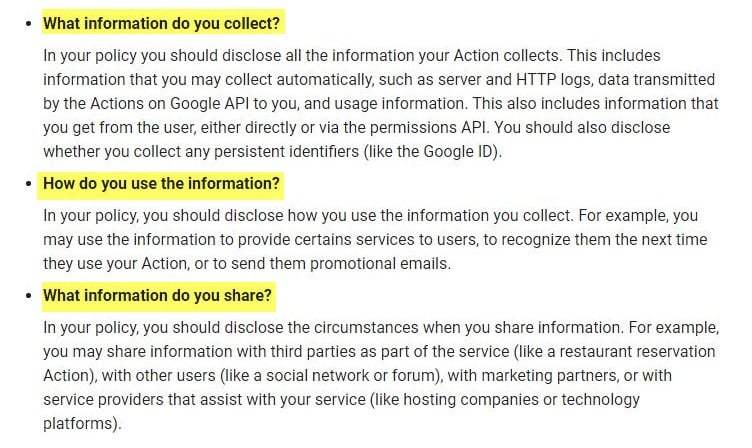
- Privacy Policy — state what user data you collect, cookie usage, and mention third-party ads (AdSense).
- About — who you are, why you run this site, short bio/photo.
- Contact — working contact form or valid email. Include a country/city — no fake addresses.
- Disclaimer / Affiliate Disclosure — if you use affiliate links, disclose clearly. AdSense requires transparency.
Quick copy you can paste (Privacy Policy snippet)
We may use third-party advertising services (such as Google AdSense) that may place cookies to serve ads based on your browsing activity.
(Adapt to your site specifics and include link to full privacy policy generator if needed.)
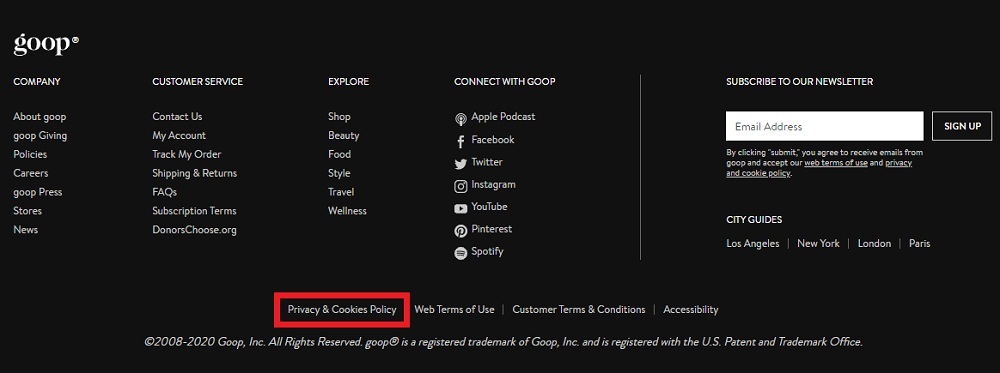
Screenshots to include on your site: (1) Contact page with real email, (2) About section with real photo, (3) Privacy policy in footer. Use the image above for layout examples. Official docs stress the importance of these pages.
5) Traffic & backlinks — how much you need and where to get links
AdSense does not publish a strict traffic minimum, but some real, organic traffic improves approval odds and demonstrates site value.
Realistic targets before applying:
- Daily visitors: 30–100+ (even low numbers are OK if consistent and content is high quality).
- Indexed pages: 10–30+ pages indexed in Google Search (verify in Search Console).
- Backlinks: a handful of relevant backlinks from niche sites or guest posts helps (quality > quantity).
Where to get initial backlinks (ethical ways)
- Guest posts on niche blogs (finance, investing websites)
- Write a useful roundup post and ask industry blogs to link to it
- Share long, image-rich posts on Pinterest and linking back to site
- Publish helpful answers on Quora / Reddit / LinkedIn with a natural link to your guide
Important: avoid link buying, link farms, or spammy directories — those can lead to policy action.
6) Common reasons for rejection (and exact fixes)
Rejection reason → Fix
- Thin content / Low value pages → Expand posts, add original screenshots, data, examples. Aim 1000–2000 words for pillar posts.
- Missing legal/trust pages → Add Privacy, Contact, About, Affiliate disclosure. Make them real — include your photo/email.
- Copyright violations → Remove copyrighted images/text or get proper licenses. Use free sources (Unsplash, Pexels) and always set ALT text.
- Incentivized clicks / Encouraging clicks → Never ask users to click ads. Remove language that might encourage clicking.
- Site not fully launched (placeholders) → Remove “lorem ipsum”, dummy content, fake addresses. Be honest.
7) Step-by-step application process (with what you’ll see)
- Create a Google account (or use your existing Gmail).
- Go to the AdSense signup page and enter your site URL, contact details.
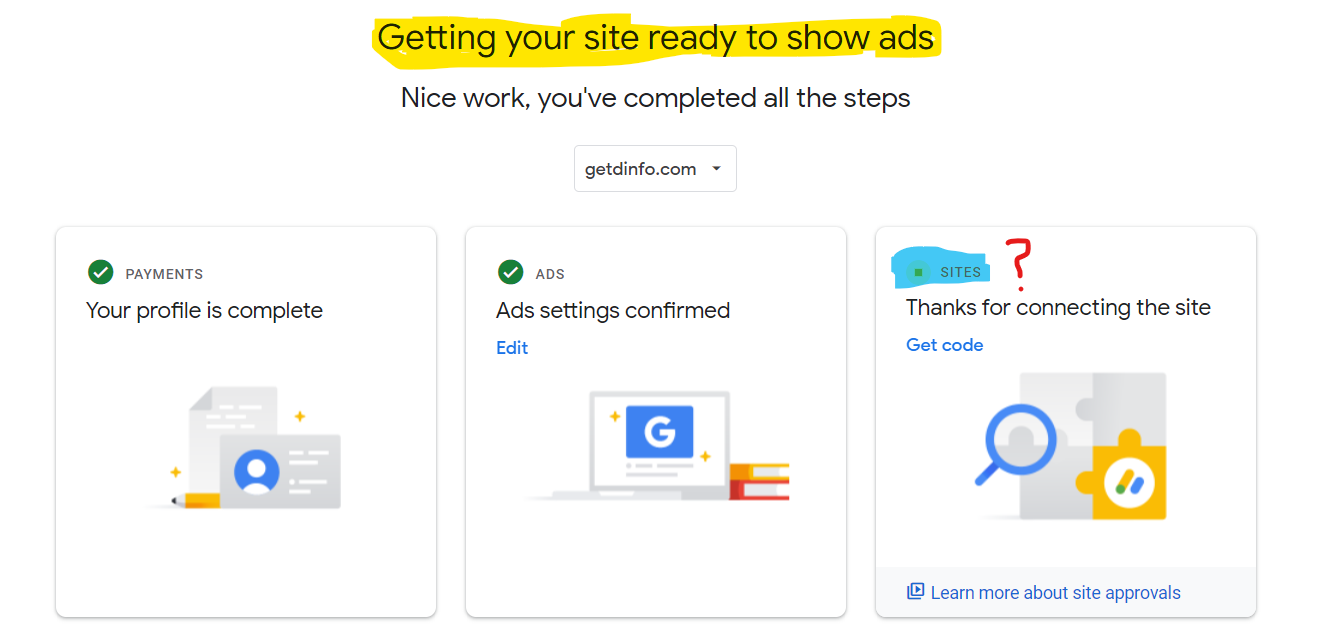
- AdSense will ask for your site and send a verification code to your site — you’ll paste a meta tag into your
<head>or add it via a plugin. (You must have HTML access.) - Wait for initial review (typically a few days to a few weeks). During this period Google checks content & policy compliance.
- If approved for serving, you’ll get a message; if rejected, you’ll get a reason. Fix issues and reapply.
What reviewers look at during the review: content originality, policy compliance, pages linked in footer, evidence of a real owner. Official policy pages explain eligibility and program policies.
8) Post-approval setup & ad placement best practices
After approval you’ll want to set ads in a way that respects policy and maximizes revenue:
- Don’t place ads where they can be mistaken for content (no deceptive placement).
- Avoid placing ads too close to interactive elements (menus, download buttons).
- Start with responsive ad units and one or two placements; monitor earnings and user behavior.
- Use Google Ad Manager only if you understand advanced settings.
Quick pro tip: Use heatmaps (Hotjar / Microsoft Clarity) to see where users engage and avoid placing ads in a way that encourages accidental clicks.
9) Quick “Before You Apply” checklist (copy this into a TODO)
- 20+ quality posts (each 600+ words; 5–10 pillar posts 1000–2000 words)
- Privacy, About, Contact, Affiliate Disclosure pages (working email)
- No copyright issues; all images have alt text and proper licenses
- Site is indexed (Google Search Console verified)
- Robots.txt not blocking Googlebot
- 30+ daily visits (helpful but not mandatory)
- A few natural backlinks from relevant sites (guest posts / resource pages)
- Remove placeholders and fake info
If anything is missing — fix it first, then apply. Official docs and recent guides emphasize quality over speed.
10) Backlink & outreach plan (30-day mini plan)
Goal: 5–10 quality links in 30 days
Week 1 — Prepare linkable assets:
- Create 2 pillar posts (long, data-rich) + 1 roundup resource (e.g., “Top 20 Indian Investment Apps 2026” with original screenshots).
Week 2 — Outreach:
- Identify 30 relevant sites (finance blogs, personal finance sections of news sites). Use HARO (Help a Reporter Out) where applicable.
- Send personalized pitches to 10 sites daily with a short note: “I wrote a detailed guide on X that includes original data/screenshots — can I contribute a guest post or get a link?”
Week 3 — Guest posts & resource page submissions:
- Publish 2 guest posts with contextual links.
- Share your roundup resource on LinkedIn and relevant Facebook groups; ask industry friends to share.
Week 4 — Follow up and monitor:
- Use Google Search Console / Ahrefs (if available) to track new backlinks.
- Disavow any spammy inbound links you didn’t ask for (rare).
Suggested anchor text examples: “best SIP plans 2026”, “how to start investing in India”, “nikileshkumar investing guide”.
Sources & inspiration: recent AdSense guides and community posts.
11) Images & Video — what to include (and where)
Photos/screenshots to add to your AdSense readiness pages:
- Screenshot of your site’s About page (with real photo)
- Screenshot of Privacy Policy footer (visible link)
- Example of a long article showing TOC and images
- Example of your contact form with a working email
(Use original screenshots — reviewers like proof of real content.)

Videos you can create (and where to host)
- “Site tour: How I prepared for AdSense” — upload to YouTube and embed on About page. A short video (2–4 min) showing your site and pages increases trust.
- “How I wrote my pillar post” — a screencast showing original research and images.
Embedding a short video on your About or “How this site was made” page is a nice E-E-A-T signal.
12) Internal links you should add on nikileshkumar.com (examples)
Add these contextual links inside relevant articles:
- “How to Start Investing in India” → link to your pillar investing guide.
- “Best SIP Plans for Beginners” → link to comparison posts with affiliate reviews.
- “Affiliate Marketing for Beginners” → link to monetization and AdSense process pages.
- Footer: About | Privacy Policy | Contact | Sitemap
Internal linking helps crawlers and reviewers see the site structure and depth.
13) What to do if rejected (exact process)
- Read the rejection email — Google sometimes gives a reason.
- Fix the exact issue (e.g., add Privacy Policy, remove thin pages).
- Wait 7–14 days after fixes, confirm changes are live and indexed (Search Console).
- Reapply.
If reason is “Policy violation” (e.g., copyrighted content or incentivized clicks), address content and submit an appeal only when fully corrected. Official docs cover appeals and policy enforcement.
14) Useful official and high-quality external links (backlink targets & references)
Bookmark and cite these in your “How I prepared for AdSense” page and use as trusted external links:
- Google AdSense Program Policies (official).
- AdSense eligibility & how to apply (official).
- AdSense common policy FAQ.
- Recent guides and changelogs (policy updates).
- Reputable blog guide (examples & case studies): Papperit / Oflox articles.
Linking to official pages demonstrates you follow policy and helps reviewers trust your site.
15) Final “Apply” readiness checklist (copy/paste)
- Site age: ideally > 1 month (not strictly required but helps)
- 20+ helpful posts indexed by Google
- Privacy, About, Contact, Affiliate Disclosure pages present and real
- No policy-violating content anywhere on site
- A few natural backlinks and stable traffic (30+ daily visitors preferred)
- HTML access to add verification meta tag
If all boxes are checked — go to AdSense and apply. Official guidance on eligibility lives on Google’s help pages.
FAQ (copy-ready — place this at bottom of your site pages)
Q1. How many articles do I need to get AdSense?
There’s no strict minimum, but most successful applicants have 20+ high-quality posts, with several pillar posts (1000–2000+ words).
Q2. Do I need a physical address to apply?
No. You need a working contact (email or contact form). Do not use fake addresses.
Q3. Can I use stock images?
Yes — use properly licensed stock images (Unsplash, Pexels) and always include ALT text. Avoid copyrighted images without permission.
Q4. How long does approval take?
Initial review can take from a few days to several weeks. If rejected, fix issues and reapply.
Q5. Will applying affect SEO?
No. Applying does not harm SEO. The process only reads your site and checks policies.
Useful internal links you should add right now (examples to paste in your posts)
/how-to-start-investing-in-india— anchor text: How to Start Investing in India/best-sip-plans-beginners— anchor text: Best SIP Plans for Beginners/affiliate-marketing-for-beginners— anchor text: Affiliate Marketing Guide/adsense-approval-guide— anchor text: Google AdSense Approval Guide (this page — self link)
(Replace with your actual slugs.)
Closing — honest, actionable summary
In 2026, AdSense is pickier — but the path to approval is straightforward: publish high-quality original content, show you are a real site with real people behind it, follow Google’s policies, and build a few natural backlinks. Use this guide as your checklist. Start by fixing any placeholder content, add or improve the Privacy/About/Contact pages, publish 10–20 more helpful posts (use the article template in Section 3), then focus outreach on a handful of relevant sites for backlinks.